Technology
10 AI Avatar Tools for Videos, Ads, and Social Media

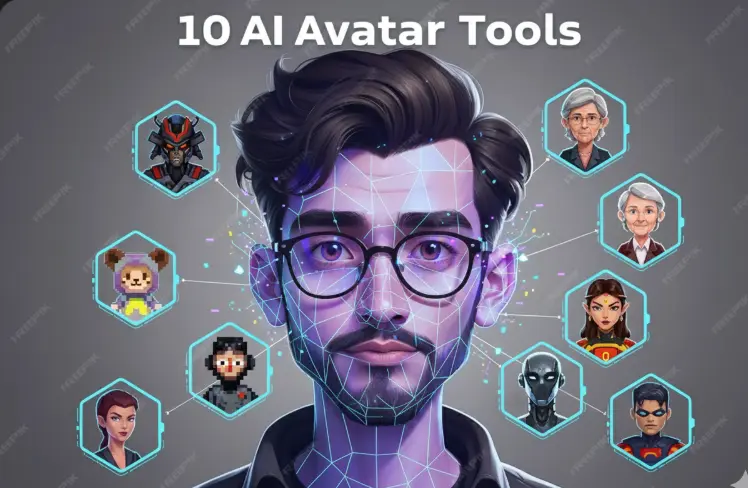
Creating videos no longer requires cameras, actors, or a full production setup. Today, AI avatar tools let anyone turn a script into a professional-looking video in minutes. That’s exactly why creators, marketers, founders, and even large teams are switching to AI avatars for ads, social media, training, and product demos.
In this guide, we’ll break down 10 AI avatar tools for videos, ads, and social media, explain what each one does best, and show how modern platforms are going beyond simple talking-head videos. If you’re exploring this space for the first time or looking to switch tools, this article will help you make a smart decision.
What Are AI Avatar Tools?
AI avatar tools create digital humans that can speak your script with natural lip-sync and expressions. You type text, choose an avatar, select a voice, and generate a video. That’s it.
Most people use these tools to:
- Create marketing and ad videos
- Produce social media content faster
- Record training and onboarding videos
- Build product demos and explainers
The big difference between tools isn’t just avatar quality. It’s how much control you get over the final video.
1. Invideo
Invideo sits at the front of this list for one simple reason: it’s more than just an avatar tool. It’s a full AI video creation platform where avatars are part of a bigger workflow.
You can generate avatar-led videos and then enhance them with stock footage, text animations, music, transitions, and branding, all in one place. This makes it especially useful for ads and social media, where visuals matter as much as the presenter.
Invideo also lets you create an instant avatar that looks natural and works across different video types, from explainers to short-form content. Because everything lives inside one platform, you don’t need multiple tools to go from script to published video.
2. D-ID
D-ID focuses on animating faces from images. Upload a photo, add text or audio, and the image comes to life.
It’s popular for:
- Personalized messages
- Quick social clips
- Creative experiments
D-ID is fast and impressive for short videos, but it’s not designed for full-scale video production or ad creatives.
3. Elai.io
Elai.io is built with business users in mind. The avatars look professional and consistent, which makes the tool suitable for structured content.
Common use cases include:
- SaaS explainers
- Product walkthroughs
- Training videos
It works well when clarity is the priority, though it offers less creative flexibility than full video platforms.
4. Colossyan
Colossyan keeps things simple and focused on training and internal communication.
Teams use it for:
- Employee onboarding
- Compliance videos
- Educational content
If you want straightforward avatar videos without a learning curve, Colossyan fits that need, but it’s not aimed at social or ad-driven content.
5. Rephrase.ai
Rephrase.ai specializes in personalized avatar videos at scale. The platform lets you generate hundreds or thousands of videos where the avatar dynamically changes names or messages.
It’s best for:
- Sales outreach
- Personalized ad campaigns
- Customer engagement
This tool shines in personalization, though it’s less versatile for general video creation.
6. DeepBrain AI
DeepBrain AI produces realistic presenters that work well for formal and educational videos.
You’ll often see it used for:
- Corporate announcements
- News-style explainers
- Educational content
The avatars feel polished and professional, but creative video editing options are limited.
7. Soul Machines
Soul Machines build highly advanced digital humans with expressive faces and lifelike behavior.
This is enterprise-level technology, commonly used for:
- Virtual brand ambassadors
- Interactive assistants
- High-end brand experiences
It’s powerful but not designed for quick, everyday content creation.
8. Ready Player Me
Ready Player Me focuses on 3D avatars rather than realistic video presenters.
It’s widely used for:
- Games and virtual worlds
- Metaverse projects
- VR and AR experiences
If your goal is video marketing or ads, this isn’t the right fit, but for 3D environments, it’s a strong option.
9. Hour One
Hour One offers professional-looking avatars designed for business communication.
It’s commonly used for:
- Corporate training
- Internal presentations
- Product explainers
The output is clean and consistent, though creative storytelling options are limited.
10. Veed
Veed combines basic avatar features with an easy-to-use online video editor.
Creators use it for:
- Social media videos
- Simple marketing content
- Quick edits
It’s beginner-friendly, but not as powerful for large-scale video production.
Best AI Video Tools (Beyond Just Avatars)
Here’s an important point many people miss: avatars alone don’t make great videos. Visual storytelling, pacing, and editing matter just as much.
That’s why full AI video platforms are becoming more popular than standalone avatar tools.
Invideo leads this category because it lets you:
- Start with an avatar or script
- Build complete videos with visuals and music
- Repurpose content for ads, reels, and YouTube
For creators who prefer working on mobile, having a reliable video maker app makes content creation even easier. It allows you to ideate, create, and publish videos on the go without compromising quality.
Other tools may offer avatars, but platforms that combine avatars with full video creation workflows give you far more value in the long run.
How to Choose the Right AI Avatar Tool
Before picking a tool, ask yourself:
- Am I creating ads, social videos, or internal content?
- Do I need full video editing or just a talking avatar?
- Will I publish content regularly or occasionally?
If your focus is marketing and social media, a platform that supports both avatars and complete video creation will save time and reduce tool-switching.
Final Thoughts
AI avatar tools have changed how videos are made. What once took days now takes minutes. But the real advantage comes from choosing a tool that fits your workflow, not just one with a realistic face.
If you want speed, flexibility, and the ability to create ads, social videos, and explainers from one place, keeping a full AI video platform at the center of your process makes sense.
AI avatars are no longer optional. They’re becoming a core part of modern video creation, and the tools that combine avatars with real storytelling are the ones leading the way.


-
 Blog6 months ago
How Much Does It Cost to Rent a Porta Potty? (2026 Pricing Guide)
-
Lifestyle8 months ago
The Ultimate Guide to Choosing Contact Lenses for Beginners
-
Lifestyle7 months ago
Babydollkaila: The Alt-Fashion Icon Redefining Digital Style
-
Blog7 months ago
Common Questions About Workplace Rights
-
News9 months ago
Is Debby Clarke Belichick Still Alive? 2025 Update & Truth
-
News10 months ago
Hong Kong Fire: The Tragedy That Shook a City
-
Uncategorized7 months ago
Healthy Habits for Supporting Women’s Hair Wellness
-
News8 months ago
Melissa Sinkevics: The Woman Behind the Pageant Crown